
1
Select Your Video
Select MP4 or MOV video you want to process. The maximum input resolution is 2K, and the maximum file size is 300 MB.
Restore missing detail, reduce blur, noise, and artifacts frame by frame
Video enhancer is loading…
Select MP4 or MOV video you want to process. The maximum input resolution is 2K, and the maximum file size is 300 MB.
Select your desired output resolution and submit the task. For input videos below 1080p, we recommend 1080p Export.
Please wait for the task to finish. Once it’s complete, be sure to download the HD video in 24 hours.
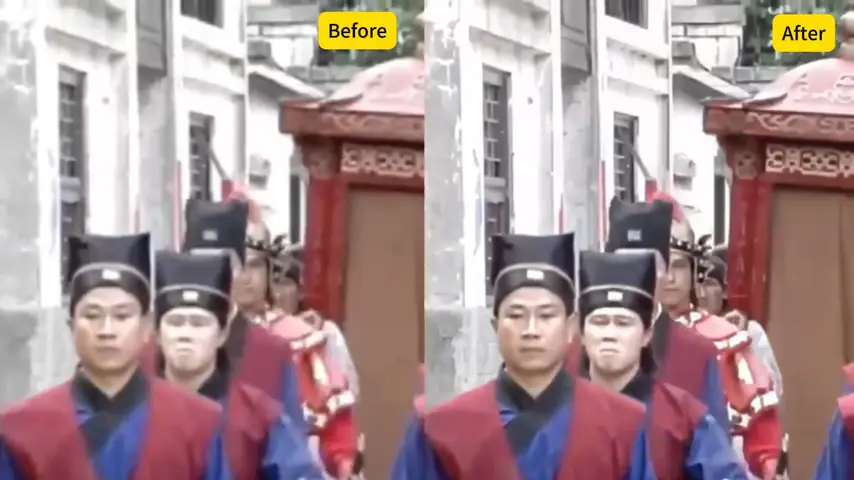
Turn low-resolution videos into true 1080p or 2K HD video in one click. This isn’t simple upscaling—AI reconstructs every frame to deliver genuinely high-definition results.
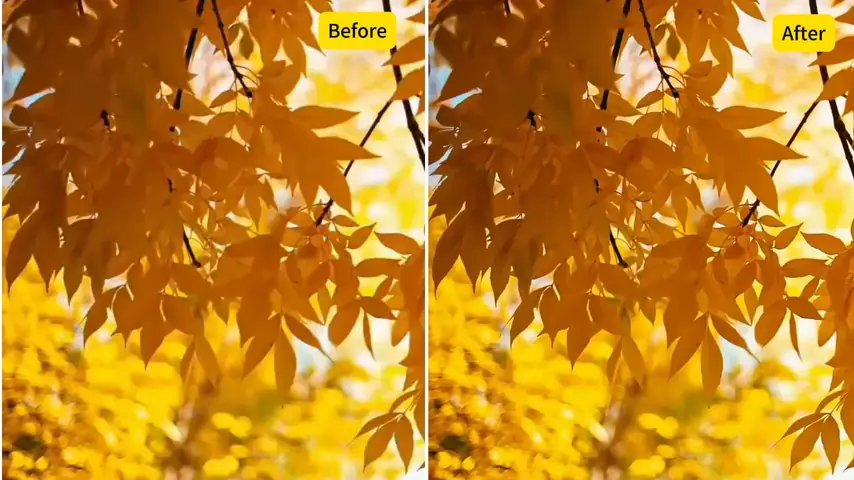
For blurry footage, generative AI automatically identifies the scene and regenerates matching visual detail—restoring clarity while preserving visual harmony.
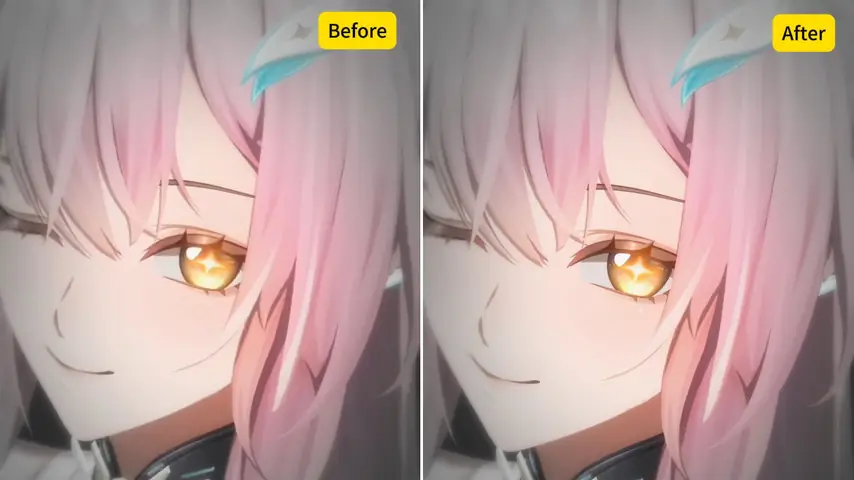
Automatically detects the visual environment and scene content, then fine-tunes the relevant settings to enhance clarity and sharpness—making the enhanced video look closer to true high-definition footage.
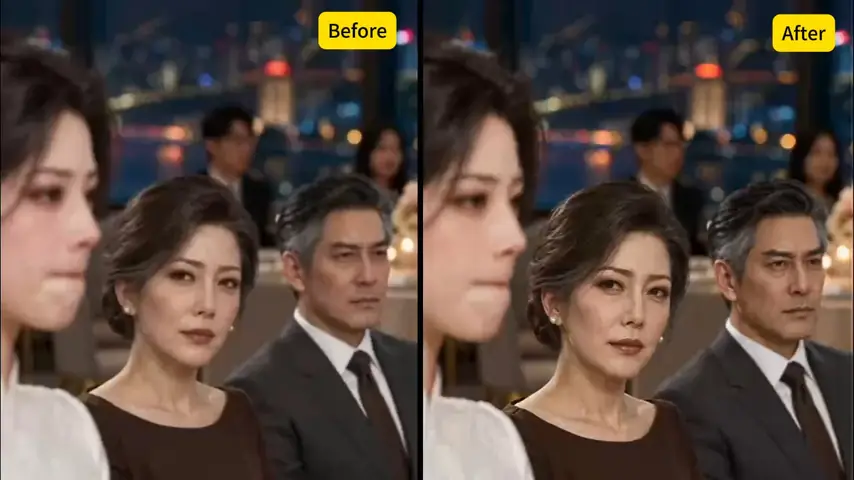
For people in the footage, generative AI uses their existing appearance as a reference to automatically restore facial details and skin texture, making them clearer while keeping the result natural and true to life.
# Submit a watermark removal task
curl -X POST "https://api.cleanvid.pro/v2/watermark_removal" \
  -H "Authorization: Bearer $API_KEY" \
  -H "Content-Type: application/json" \
  -d '{
    "video_url": "https://cdn.example.com/in.mp4",
    "method": "all_area"
  }'

# Query task status
curl "https://api.cleanvid.pro/v2/tasks/{task_id}" \
-H "Authorization: Bearer $API_KEY"The CleanVid API supports video watermark removal, video object removal, and video enhancement.
Seamlessly integrate video watermark removal into your website, software, apps, or automated workflows.
Standardized OpenAPI 3.x documentation helps AI agents accurately understand the API, enabling you to go live in as little as 10 minutes.
Anime, portrait, landscape, night, on-screen text — the enhancer identifies the scene type and sets denoise, sharpening and upscale strength itself. Picking a resolution is the only decision you make.
A powerful generative AI engine reconstructs footage frame by frame while staying faithful to the original content—adding visual detail and enhancing edges and contours. Delivers true high-definition output.
With built-in, scene-specific optimization settings for 100+ scenes, it automatically recognizes your footage and optimizes it like a master editor. Make your videos clearer—and more professional.
No GPU, no install, no fan noise. Upload from any laptop, close the tab, and come back to the finished file. A five-year-old MacBook processes exactly like a workstation.
I generate AI video at 1080p and finish at 2K. Rendering native 2K costs several times more per clip, and half the takes get thrown away anyway. Enhancing only the keepers cut my generation bill by around 60 percent, and on a phone screen nobody can tell which one is native.
We license short dramas into overseas apps and half the back catalogue is 720p — grain, soft focus, the lot. Enhancing to 1080p gave us a version we could actually ship: skin and hair detail came back, and edges stayed natural instead of looking sanded down.
Suppliers send product footage over chat apps until it is more mosaic than video. We used to budget for reshoots. Now we enhance the file to 1080p before it goes into a Facebook ad — jewellery highlights and fabric texture are readable again, and our cost per acquisition dropped noticeably.
We hold a few hundred episodes from the early 2000s. At 480p they were unsellable on modern TVs, and frame-by-frame restoration quotes ran into six figures. Enhancing the masters to 1080p in batches got the catalogue back onto streaming platforms at a fraction of that.
Upscale, denoise and sharpen any clip — up to 2K, straight from your browser.
Contact us at [email protected]