
1
Select and Upload Video
MP4 and MOV formats are supported. Max file size: 300 MB. Up to 2K resolution.
Seamlessly removes all types of watermarks, text, logos, and subtitles, delivering a clean, blur-free result.
Video watermark remover is loading…
MP4 and MOV formats are supported. Max file size: 300 MB. Up to 2K resolution.
Select BOX for static watermarks, or switch to FULL FRAME for floating watermarks.
Submit your task for removal. Download the watermark-free video after it completes.
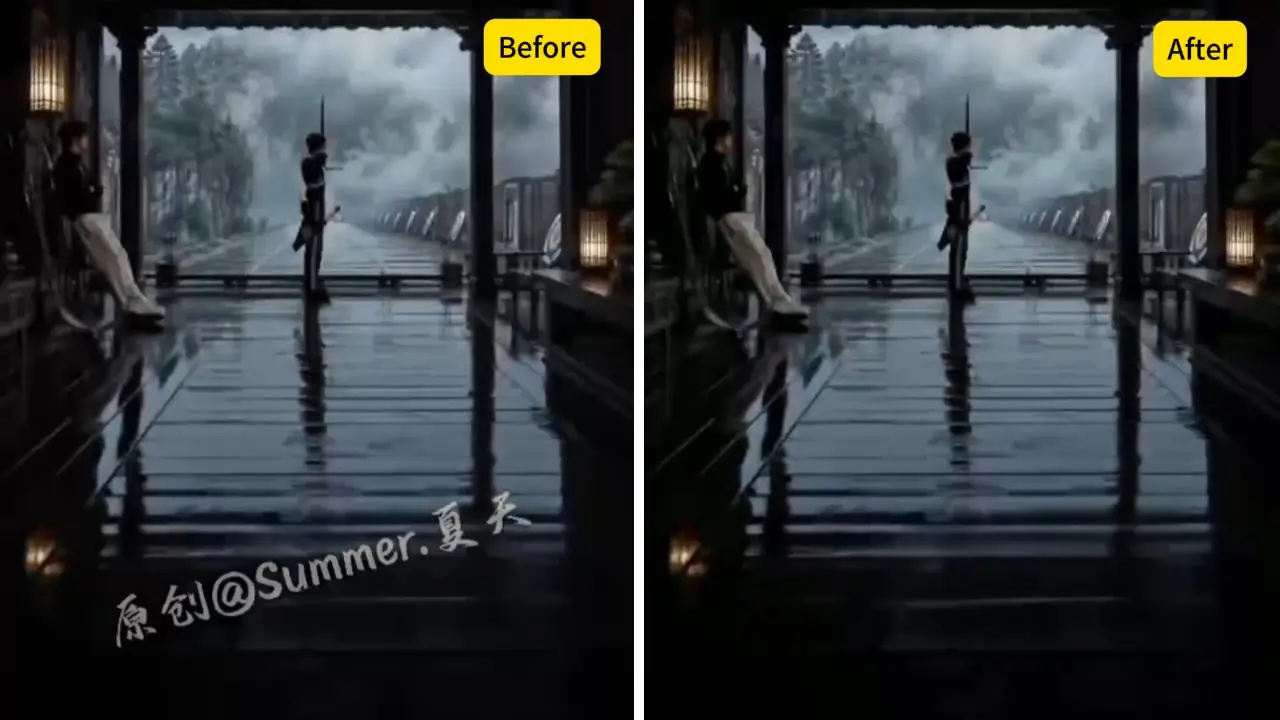
CleanVid leverages cutting-edge AI to accurately identify and remove text from your videos. It restores the background at the pixel level, ensuring a flawless, trace-free result.
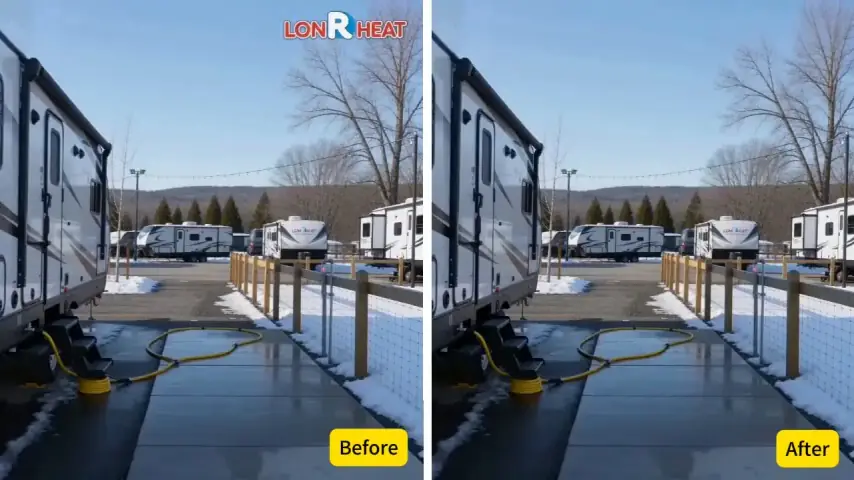
CleanVid utilizes advanced video segmentation to automatically detect and isolate logo watermarks of any complex shape. It performs precise frame-by-frame removal and restoration, ensuring a perfect video without blur.
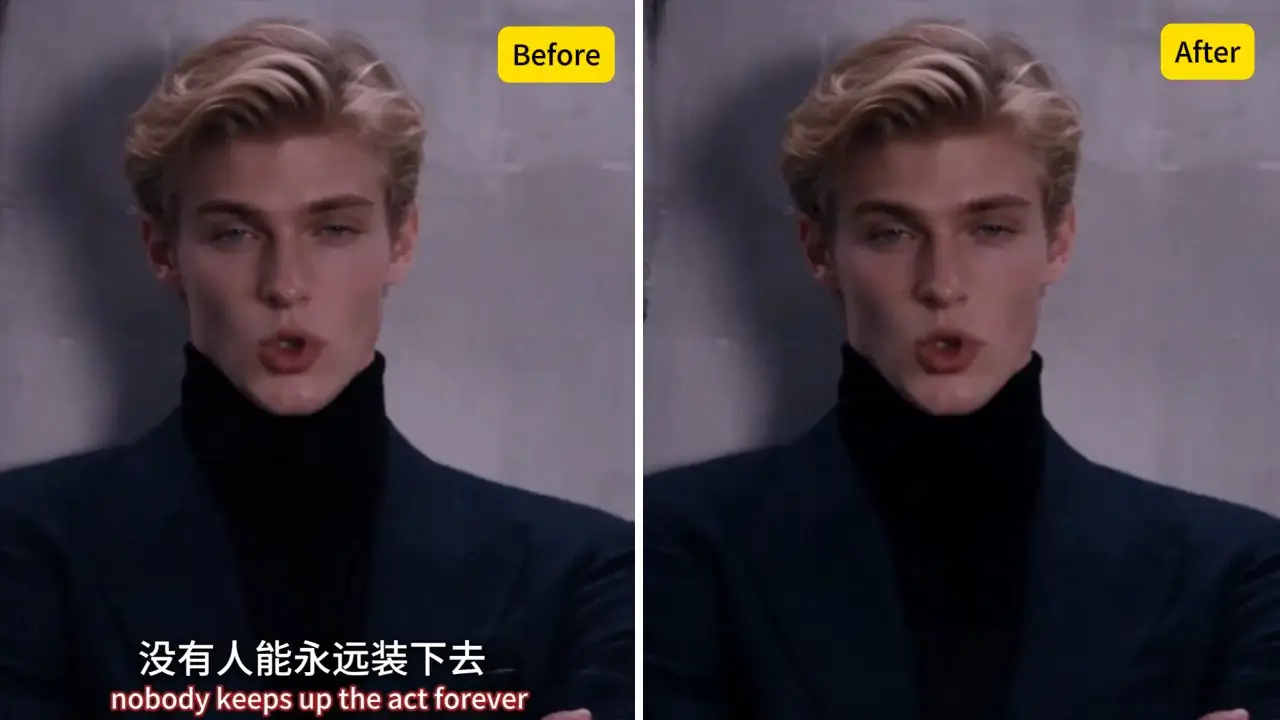
CleanVid intelligently detects hardcoded subtitles in any language. It can remove even complex subtitle styles — including shadows, backgrounds, and animations — without affecting other parts of the image. Videos are output in their original quality, delivering a result as clean as the original footage.
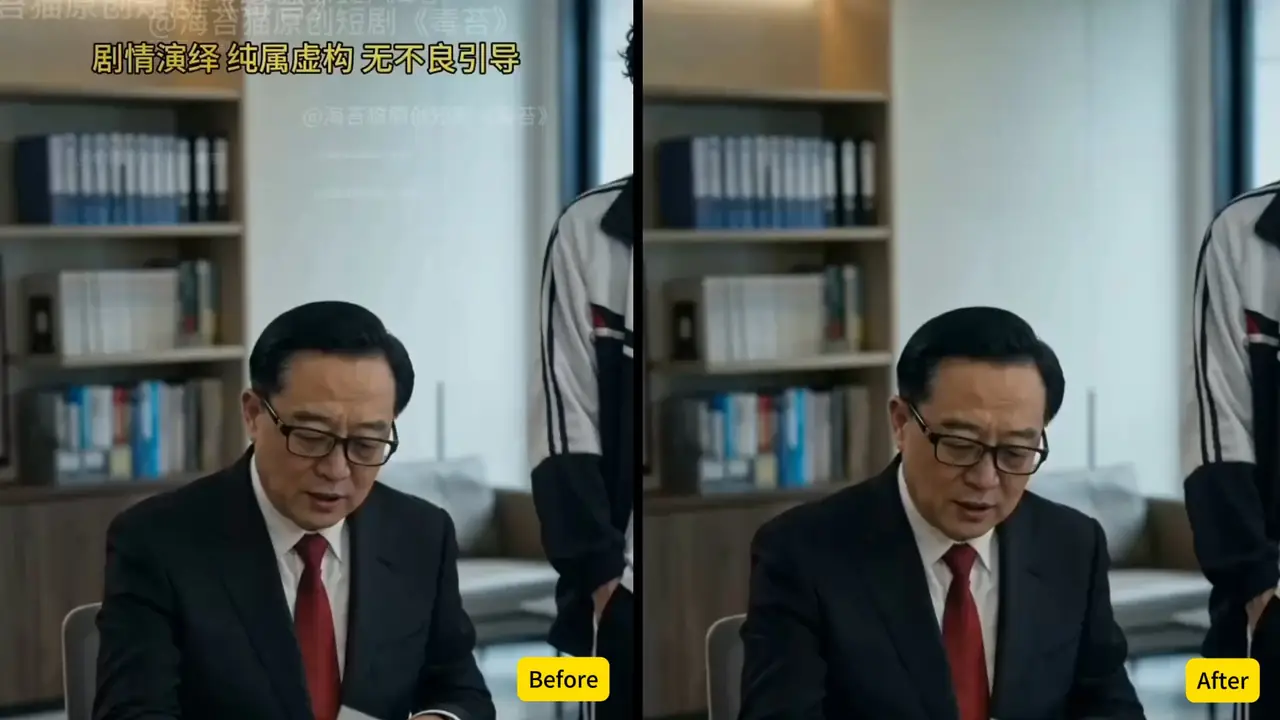
Using advanced frame-by-frame analysis, Cleanvid tracks and flawlessly erase moving (or floating) watermarks. It seamlessly inpaints the removal area, delivering a crystal clear, blur-free result, stunning quality.
# Submit a watermark removal task
curl -X POST "https://api.cleanvid.pro/v2/watermark_removal" \
  -H "Authorization: Bearer $API_KEY" \
  -H "Content-Type: application/json" \
  -d '{
    "video_url": "https://cdn.example.com/in.mp4",
    "method": "all_area"
  }'

# Query task status
curl "https://api.cleanvid.pro/v2/tasks/{task_id}" \
-H "Authorization: Bearer $API_KEY"The CleanVid API supports video watermark removal, video object removal, and video enhancement.
Seamlessly integrate video watermark removal into your website, software, apps, or automated workflows.
Standardized OpenAPI 3.x documentation helps AI agents accurately understand the API, enabling you to go live in as little as 10 minutes.
Discover the difference in video quality and background restoration.
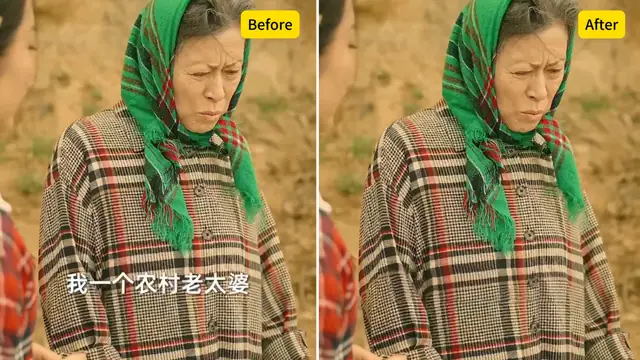
Pixel-perfect restoration. Seamless remove floating watermarks.

Leaves obvious blurry patches. Unable to handle floating text watermarks.
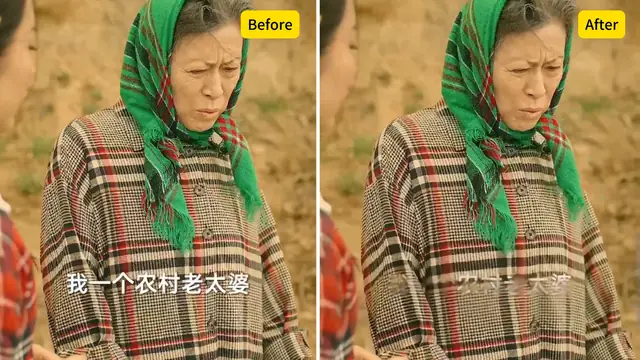
Complex backgrounds often leave incomplete remnants and visible blurring.
Say goodbye to ugly pixelated patches and obvious mosaics. Cleanvid uses cutting-edge AI to intelligently fill in the missing pixels, leaving you with a flawless, natural-looking video.
You don't need professional video editing skills or complex masking techniques. Our smart AI automatically identifies and targets the elements you want to remove.
Save your computer's memory and CPU. Cleanvid is entirely cloud-based, meaning you can process heavy video files directly in your browser without downloading heavy software or needing a high-end PC.
CleanVid preserves the original video quality after watermark removal.
Strict privacy and data security measures are in place throughout the video processing workflow, with no manual processing or review.
CleanVid lets you seamlessly use the same account across desktop, mobile, and tablet devices.
As a content creator, I constantly remix and curate stock footage for my social channels. Cleanvid removes unwanted watermarks flawlessly without degrading the original video quality. It saves me hours of manual editing!

When launching ad campaigns, distracting logos from stock clips kill our conversion rates. Cleanvid's AI gives us clean, professional footage in minutes. The box selection tool is incredibly precise, giving our video ads a premium feel.

I compile various clips for my online courses. Removing timestamps and old text overlays used to be a nightmare. Now, I just upload the files to Cleanvid and get pristine instructional videos that keep my students focused on the lesson.

Distributing short dramas globally means we constantly need to clear original regional text and hardcoded logos for the US market. Cleanvid handles high-volume tasks perfectly, making our localization process highly efficient and ready for an international audience.

Remove all types of watermarks from Video without blur.
Contact us at [email protected]